Setting Up Custom Routines: Mastering Voice Assistant Integration for Automated Smart Home Scenarios and Daily Tasks
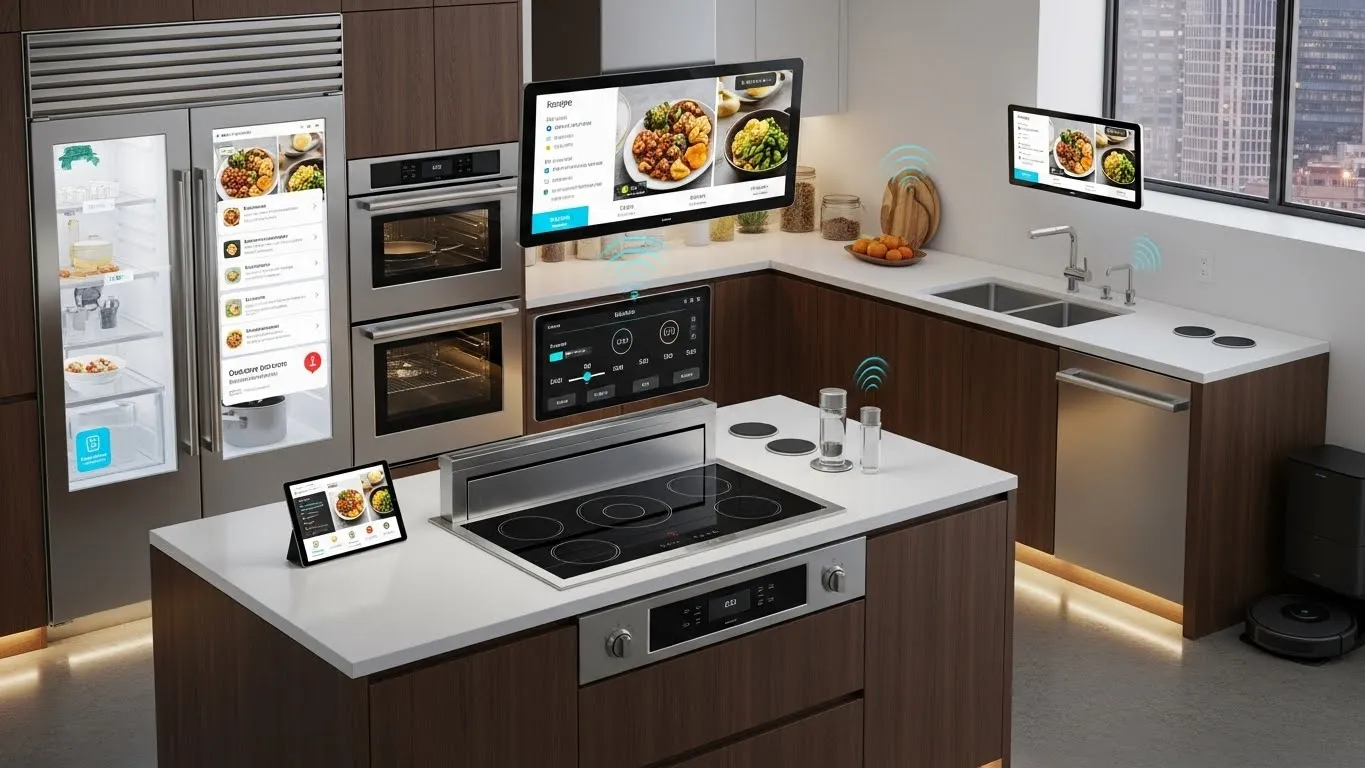
Setting Up Custom Routines: Mastering Voice Assistant Integration for Automated Smart Home Scenarios and Daily Tasks
Transforming your house into a truly smart home often hinges on the seamless coordination of your devices. The real magic happens when you move beyond individual device control and start setting up custom routines with your voice assistant. This guide will walk you through the process of mastering voice assistant integration, allowing you to create automated smart home scenarios and effortlessly manage your daily tasks. Imagine lights dimming automatically for movie night, your coffee brewing as your alarm rings, or your home securing itself with a single command – this level of convenience is within reach.
By leveraging the power of voice assistant integration, you can orchestrate a symphony of actions that react to your schedule, preferences, and even external conditions. This isn't just about turning things on or off; it's about crafting an intuitive, responsive environment that anticipates your needs. Dive in to discover how to unlock the full potential of your smart home ecosystem.
Key Points:
- Personalized Automation: Tailor routines to your unique lifestyle and preferences.
- Enhanced Convenience: Automate daily tasks and complex scenarios with simple voice commands.
- Seamless Integration: Connect various smart devices across platforms for unified control.
- Energy Efficiency: Optimize device usage through scheduled and conditional automation.
- Future-Proofing: Understand evolving standards like Matter for broader compatibility.
The Power of Voice Assistant Integration for Automated Smart Home Scenarios
Voice assistants like Amazon Alexa, Google Assistant, and Apple Siri have evolved into sophisticated control hubs for our smart homes. They offer far more than just answering questions or playing music; their true value lies in their ability to facilitate automated smart home scenarios through custom routines. These routines allow multiple smart devices to work together in harmony, triggered by a single voice command, a specific time, or even the state of another device.
For instance, a simple "Good Morning" command can simultaneously turn on your bedroom lights, start your smart coffee maker, and read out your daily news briefing. This level of automation significantly boosts convenience and can even improve energy efficiency. By carefully setting up custom routines, you empower your smart home to perform complex actions that adapt to your daily life, making technology truly work for you. The goal is to move from reactive control to proactive automation, where your home anticipates your needs.
Understanding Voice Assistant Platforms: Alexa, Google Assistant, and Siri
Each major voice assistant platform offers robust capabilities for creating routines, though their terminology and interfaces may differ slightly. Understanding these nuances is key to effective voice assistant integration.
- Amazon Alexa: Routines in Alexa are highly customizable, allowing for multiple actions, conditional statements, and integration with a vast ecosystem of third-party devices. Triggers can include voice commands, schedules, smart device states, and even location.
- Google Assistant: Google's "Routines" offer similar functionality, often integrated deeply with Google Calendar and other Google services. They excel at combining media playback, information delivery, and smart home actions. Google also supports advanced starters like "When I arrive home."
- Apple Siri (HomeKit Automations & Shortcuts): Siri primarily uses HomeKit for smart home control, where "Automations" govern device behavior based on triggers like time, location, or sensor input. For more complex, personal sequences, Apple Shortcuts can be linked to HomeKit scenes, offering unparalleled customization for personal and smart home tasks. While sometimes requiring a bit more setup, the privacy-focused ecosystem is a significant draw for many users.
Step-by-Step Guide to Setting Up Custom Routines
Successfully setting up custom routines begins with planning and understanding the capabilities of your chosen voice assistant.
Planning Your Automated Daily Tasks
Before diving into the app, take a moment to envision your ideal smart home experience.
- What daily actions do you perform repeatedly?
- Which moments in your day could benefit from automation?
- Consider scenarios like waking up, leaving for work, returning home, or relaxing in the evening.
- Identify the specific devices involved and the desired outcome for each scenario. Starting simple, perhaps with just two or three actions, is often the best approach before expanding to more complex sequences. This thoughtful preparation ensures your routines are both practical and impactful.
Crafting Basic Voice Control Routines
Let's walk through the general process of creating a routine, focusing on core principles applicable across platforms for effective voice control routines.
- Choose Your Platform: Open the respective app (Alexa app, Google Home app, Apple Home app).
- Navigate to Routines/Automations: Look for sections typically labeled "Routines," "Automations," or "Shortcuts."
- Define the Trigger: This is what starts your routine.
- Voice Command: The most common trigger (e.g., "Alexa, good night"). Make it memorable and unique.
- Time/Schedule: At a specific time or on certain days (e.g., "Every weekday at 7 AM").
- Device State: When a door opens, a motion sensor detects movement, or a light turns on.
- Select Actions: These are the tasks your voice assistant will perform.
- Smart Device Control: Turn lights on/off, adjust brightness or color, change thermostat temperature, lock doors.
- Media Playback: Play music, podcasts, or news on specific speakers.
- Information: Provide weather forecasts, calendar events, or traffic updates.
- Communication: Send announcements, make calls.
- Custom Commands: Integrate with other services via IFTTT or webhooks for more unique actions.
Example: For a "Good Night" routine:
- Trigger: "Alexa, good night."
- Actions: Turn off all lights, lock the front door, set the thermostat to 68°F, play relaxing ambient sounds for 30 minutes.
For a differentiated approach, consider conditional logic within your routines. Some platforms allow you to specify actions only if certain conditions are met. For example, "If the outdoor temperature is above 75 degrees Fahrenheit, then turn on the AC when I say 'I'm home,' otherwise just turn on the lights." This adds a layer of intelligence and efficiency that basic routines often lack.
Integrating Smart Devices for Seamless Scenarios
A successful smart home relies on robust voice assistant integration with all your smart devices.
- Compatibility is Key: Ensure your devices are compatible with your chosen voice assistant. Most modern devices support Alexa, Google Assistant, or HomeKit.
- Connecting Devices: Follow the manufacturer's instructions to link each device to your voice assistant app. This usually involves enabling a "skill" or "service" and logging into your device's account.
- Standardization: The emergence of the Matter standard, a universal open-source connectivity protocol, promises to simplify device integration dramatically. This trend, highlighted by a 2024 report from Parks Associates, suggests a future with fewer compatibility headaches, making it easier to build cohesive automated smart home scenarios. When purchasing new devices, look for Matter certification for future-proof compatibility.
- Cross-Platform Integration: For devices not directly compatible with your primary voice assistant, explore third-party services like IFTTT (If This Then That). IFTTT acts as a bridge, allowing devices and services to communicate with each other through "applets," enabling more complex and unique integrations that extend beyond a single ecosystem. This level of customization allows for truly personalized and seamless experiences. You can find out more about optimizing lighting systems through integration by visiting the Intelligent Lighting Systems category.
Advanced Strategies for Mastering Voice Assistant Automation
Beyond basic commands, mastering voice assistant automation involves leveraging advanced features to create truly intelligent and responsive living spaces.
Leveraging Timers and Schedules for Proactive Routines
Timers and schedules are fundamental to proactive automation. Instead of reacting to your commands, your home can anticipate your needs.
- Time-Based Triggers: Schedule lights to turn on at sunset (using dynamic sunset/sunrise triggers), or your smart thermostat to adjust 30 minutes before you typically arrive home. This proactive approach ensures comfort and energy efficiency.
- Repetitive Tasks: Automate repetitive daily tasks, like turning off all lights at bedtime or setting a specific ambiance for your morning coffee ritual. Research from Statista in early 2025 projected a significant increase in the adoption of scheduled smart home routines, underscoring their growing importance.
- "Away" Modes: Create routines that run when you leave your home, adjusting thermostats, turning off non-essential lights, and activating security cameras.
Multi-Action Sequences and Conditional Logic
The real power of setting up custom routines emerges with multi-action sequences and conditional logic.
- Sequencing Actions: Arrange multiple actions to occur in a specific order, sometimes with delays in between. For example, a "Movie Night" routine might dim the living room lights, turn on the TV, and then close the smart blinds after a 5-second delay.
- Conditional Statements: As briefly touched upon, some platforms allow routines to execute actions only if certain conditions are met. "If it's raining, close the garage door when I leave," or "If motion is detected in the hallway at night, turn on the light to 10% brightness." This makes your routines more adaptive and intelligent, reducing unnecessary actions.
- Scenes: Many voice assistants support "scenes," which are predefined states for multiple devices. Instead of saying "turn off the living room light, then turn off the kitchen light," you can activate a "House Off" scene. This streamlines commands and reduces conversational friction.
Troubleshooting Common Voice Assistant Integration Challenges
Even with careful planning, you might encounter issues. Here's how to troubleshoot:
- Connectivity Check: Ensure all devices are online and connected to your Wi-Fi network. Rebooting your router and devices can often resolve intermittent connectivity issues.
- Command Accuracy: Speak clearly and ensure your voice command exactly matches the trigger phrase you've set. Avoid overly complex phrases.
- Device Naming: Use simple, distinct names for your devices (e.g., "Living Room Lamp" instead of "Lamp 1"). Confusing names can lead to your voice assistant misunderstanding commands.
- App Permissions: Verify that your voice assistant app has the necessary permissions on your phone, especially for location-based triggers.
- Re-linking Accounts: If a specific device isn't responding, try unlinking and then re-linking its account or skill within your voice assistant app. Sometimes, a fresh connection is all that's needed. For more specific insights on securing your smart home, consider reading about optimizing smart home security systems with AI-powered voice control.
FAQ Section
Q: What is the primary benefit of setting up custom routines with a voice assistant?
A: The primary benefit is achieving personalized automation that significantly enhances convenience and efficiency in your daily life. Instead of manually controlling individual devices, custom routines allow you to orchestrate multiple actions with a single voice command, time trigger, or device state change. This transforms reactive control into proactive, intelligent living, making your smart home truly responsive to your needs and preferences.
Q: Can I integrate devices from different brands or ecosystems into one routine?
A: Yes, in many cases, you can integrate devices from different brands or ecosystems. Most major voice assistants like Alexa and Google Assistant support a wide array of third-party devices. For devices that don't directly integrate, services like IFTTT (If This Then That) can act as a bridge, allowing disparate devices and services to communicate and participate in unified routines. The emerging Matter standard further simplifies cross-platform compatibility, promising even smoother integration in the future.
Q: How can custom routines help me save energy in my smart home?
A: Custom routines offer several ways to save energy. You can schedule lights to turn off when you typically leave for work or when no motion is detected for a period. Thermostats can be programmed to adjust based on occupancy, time of day, or outdoor conditions, preventing unnecessary heating or cooling. Automated "Away" modes can power down non-essential devices. By automating energy management, you ensure devices are only active when needed, leading to noticeable reductions in consumption and utility bills.
Q: What's the difference between a "scene" and a "routine" in smart home automation?
A: A "scene" typically refers to a predefined state for multiple devices at a particular moment (e.g., "Movie Night" scene: lights dimmed, TV on). It's a snapshot of your home's settings. A "routine," on the other hand, involves triggers and actions that unfold over time, potentially including scenes as one of its actions. A routine might be triggered by a voice command ("Alexa, it's movie time") and then activate the "Movie Night" scene, followed by other actions like closing blinds after a delay.
Start Automating Your Smart Home Today!
Mastering voice assistant integration and setting up custom routines is a journey that continually adds comfort, efficiency, and intelligence to your home. By starting with simple automations and gradually exploring more advanced features like conditional logic and cross-platform integrations, you can create a truly personalized smart living experience. The convenience of controlling complex scenarios with a single phrase or having your home anticipate your needs is not just a luxury but a tangible enhancement to daily life.
Don't let your smart devices operate in silos. Take the next step to unlock their combined potential. We encourage you to experiment with different triggers and actions, discovering what truly transforms your living space. Share your most creative routines in the comments below, or subscribe to our newsletter for the latest smart home tips and innovations. For further exploration into smart home advancements, consider reading about exploring the latest innovations in energy-efficient smart lighting solutions. Your smart home's full potential is just a routine away!